
Table of Contents
13 tips for updating your website
When you think about how to update your website content, does it send a shudder down your spine? Making changes to your site can turn into a huge project, so I understand. Yet, it’s necessary in order to make sure your site reflects you well and so that you keep on Google’s good side.
It’s been a long time coming, but I finally made some changes to my website. My old site was geared toward my photography work, but now I also offer content creation and repurposing and I wanted my website to include info about my newer offerings.

Disclosure: This post contains affiliate links and I receive a commission if you visit a link and buy something on my recommendation. Purchasing via an affiliate link doesn’t cost you any extra, and I only recommend products and services I trust. All opinions are my own. For more details see my disclosure policy and privacy policy.
How to update your website content to make it engaging and useful
After finishing up my web updates, I made a list of action items to guide others through the process of doing the same. I especially wanted to focus on streamlining all the considerations so that the question of how to update your website content doesn’t make you feel like you’re going to lose your mind. If you’re feeling overwhelmed about how to start, this blog should help.
#1 Research how the pandemic has affected your industry
So, you thought this was an article about updating your website? It is, but what I’m saying is, speak to people where they’re at. They may need more of some things, and less of others because of the new normal.
#2 Be clear about why you’re making updates
What is the purpose of updating your site? What is missing from your current site, and how can you create something that 1) brings your ideal audience and 2) helps them answer their questions about what it is you do?
#3 Take a look at other websites and note features you like
How can you make the best experience possible for your site visitors? Your notes will help you figure out how to present information on your own site.

#4 Decide whether you want to keep using the same web platform
When my business was all photography, I used a platform called Zenfolio, specifically for photographers. As I started to learn more about making updates and how to optimize my site for SEO so people could actually find it, I decided to start using WordPress because it gave me more control. If you’re looking for more info about different web platforms including some eCommerce options, here is a helpful article.
Ask yourself these questions.
- What do I want people to do when they visit my site?
- Do I want to make updates myself?
- Which platform will offer my users the best experience?
- Do some research on WordPress, Squarespace, or other platforms and list pros and cons.
#5 Start writing down changes you’d like to make
You can draw on paper or use a site like Whimsical.com to create wireframes (a visual guide of how your pages will look) of the new parts of your website.
#6 Consider how your hosting choices affect you
I LOVE my hosting company because my site is up with only very infrequent interruptions, and the best part is that there are real humans running the operation who answer your questions and help with tech issues! Support is included in their (reasonable) hosting prices.
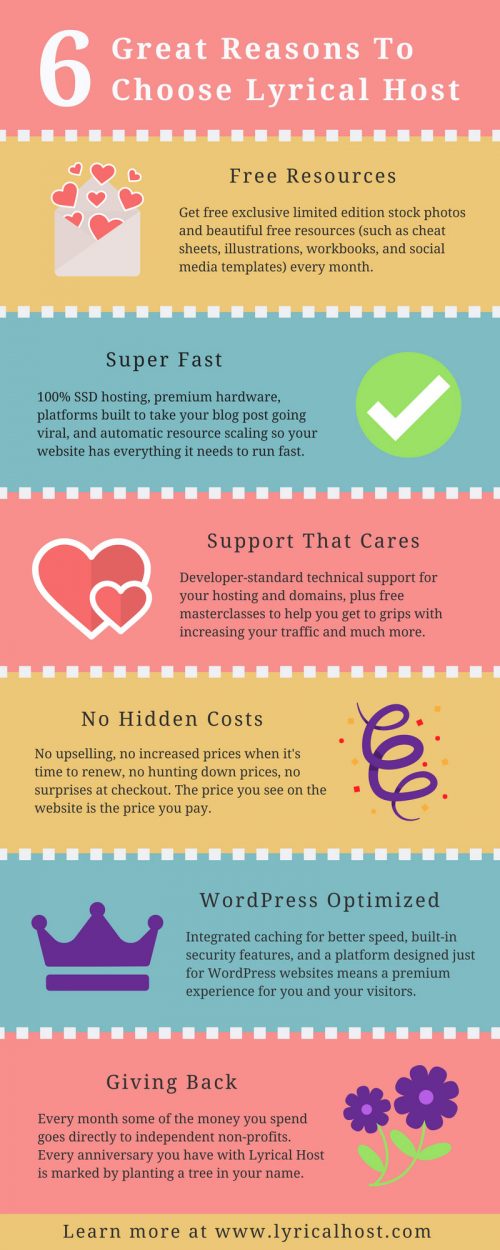
If you use my affiliate code, WILLOW at checkout, it will get you a 10% discount on any of their products, and it also gives me some bennies (which don’t come from your pocket, don’t worry). Get more info about Lyrical Host here.
Here are some questions to ask yourself when looking for hosting.
- Is my company’s pricing competitive?
- When my site is down or I’m having other issues, how is support?
- Do they help you keep your site secure, and does that cost extra?
#7 Find a responsive web designer
Reach out to a few potential designers to ask questions. In the process, you can test how responsive they are, and if they answer your questions. Ask them how involved you’ll have to be in the process.
Vet whether they’re making decisions based on their own limitations, or if they are directing you to options that will work best for you and your business. If you’re corresponding by email, it pays to over-communicate and be clearer than you think you have to be.
#8 Develop a timeline for your project
Estimate how much time the changes will take with your web designer. If you’re doing the updates yourself, I recommend creating a clear list of changes and sticking to the timeline as much as possible.
#9 Use a visual tool to keep track of the project
Trello and Asana are two online project management tools that can help you manage your web project. If you’re working with a web designer or partner on this project, everyone can access the project there, and make updates when something needs follow-up or has been completed.
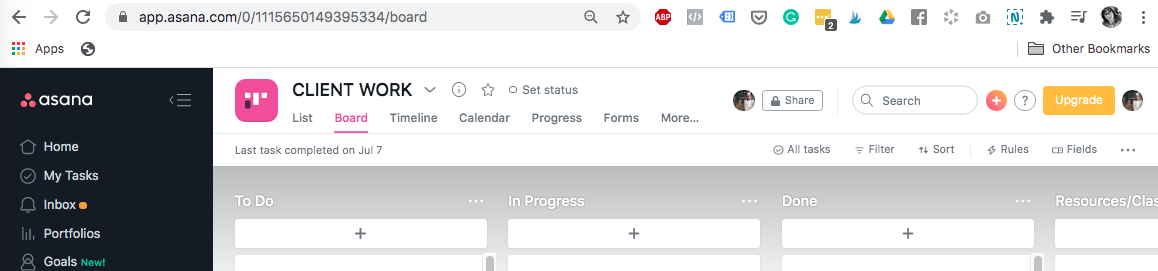
#10 Even if your designer is self-contained, spend time testing your web updates
Once a page has been completed, devote time to testing it out on mobile and web. Do you need to add additional calls to action, are there any misformatted portions? It’s better to catch these things before you’ve dismissed your designer, so you can have them quickly correct any issues.
#11 Document your design choices
Create a folder of information about your website. Make note of photo sizing best practices according to your web host and your website header styles. It will save you time as you work on your current project and future updates.

Check out my new homepage in real-time.
#12 Don’t get discouraged because the more updates you make, the more Google loves you
Although it may feel like a big chore, regularly updating your site can help with your search ranking. These changes and additions can be made to your web pages or to your blog. You can either write new blog articles or update posts you’ve already written.
#13 Once you’ve updated your web content, unfortunately, the work is not over
How can you invite people over to check out your new site? Consider writing blog posts (like this one!) and sharing them to Pinterest, creating social media posts, and directing people who ask about your services to your new site. Get your money’s worth and don’t let your site just sit there dejected and alone.
Web updates, here I come!
Are you feeling more confident about how to update your website content now? Or do you feel you still need to do more research? And, what’s one thing you’d like to change about your site? Let me know in the comments!
Meanwhile, take a gander at my newly-redesigned site and let me know what you think!


